

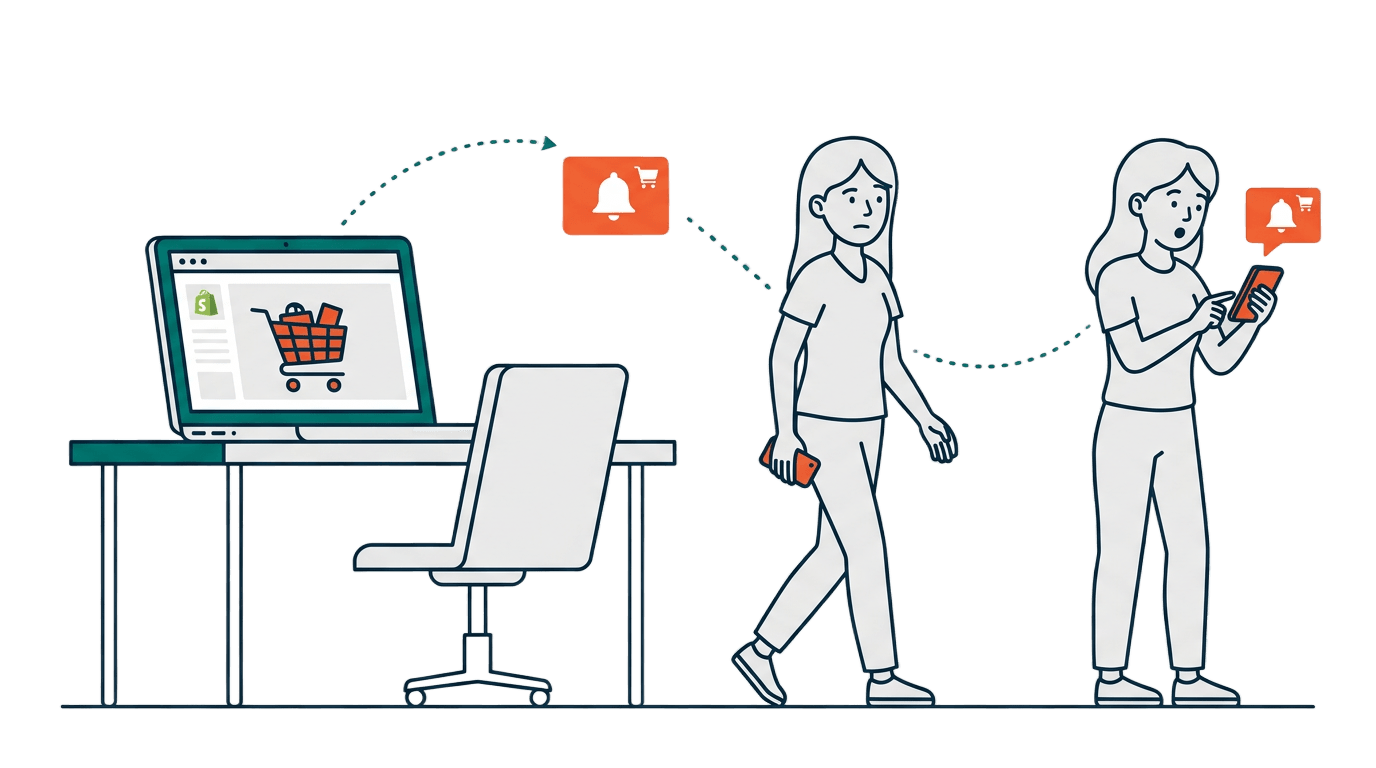
Someone just added a product to their cart on your Shopify store. They were so close to buying. And then they left.
This happens all the time. On average, about 70% of shoppers abandon their cart before completing a purchase. That is a lot of potential revenue walking out the door every single day.
The good news? You can bring a good chunk of those shoppers back. And one of the best ways to do it is through web push notifications.
What Is Cart Abandonment, Really?
Cart abandonment is when a shopper adds items to their cart, or reaches the abandoned checkout page, but does not complete the purchase.
Sometimes they got distracted. Sometimes they wanted to compare prices. Sometimes their phone rang. Life happens. Most of the time, they did not leave because they changed their mind about buying. They just got pulled away.
That means there is a real chance to win them back. If you reach them at the right time.
Why Push Notifications Work So Well for Cart Recovery
You might already be sending cart recovery emails. Emails are great, but they have a problem: you only have them if the shopper gave you their email address.
Push notifications work differently. When a visitor clicks “Allow” on your notification prompt, they become a subscriber. No email or phone number needed. That means you can reach anonymous shoppers that you would have lost forever.
Here is why push notifications are especially powerful for cart recovery:
They are fast. A push notification shows up on the shopper’s screen within seconds of them leaving. You are catching them while the product is still fresh in their mind.
They are hard to miss. The message appears right on their browser, desktop or mobile. Unlike an email buried in an inbox, a push notification is right there in front of them.
They are short and to the point. You do not need a long message. A simple “You left something behind” with a link back to the cart is often enough.
How Cart Recovery Push Notifications Work on Shopify
Here is the simple flow:
- A visitor comes to your store and clicks “Allow” on the push notification prompt. They are now a subscriber.
- They browse your store, add something to their cart, and then leave without buying.
- Your cart recovery app detects the abandoned cart and automatically sends a reminder notification.
- The shopper sees the notification, clicks it, and lands right back on their cart page.
- They complete the purchase.
The whole process is automated. You set it up once, and it runs on its own in the background.
One thing worth knowing: if you also use browse reminder notifications, PingLane automatically cancels them the moment a shopper adds something to their cart. So the shopper gets cart recovery messages instead. No overlap, no confusion.
With PingLane, you can set up a series of cart recovery notifications, not just one. This is how the default sequence is set up when you install:
- First notification: 20 minutes after abandonment: “You left something in your cart!”
- Second notification: 2 hours later: “Still thinking about it? Your cart is waiting.”
- Third notification: 2 days later: “Last chance, your items might sell out soon.”
Each message nudges the shopper a little more, giving them multiple chances to come back.
Writing a Cart Recovery Notification That Actually Works
The message does not need to be fancy. Keep it simple and direct. Here are a few things that help:
Use the product name if you can. “Your Nike Air Max 90 is waiting” feels more personal than “You left something in your cart.”
Create a little urgency. Phrases like “selling fast” or “only a few left” give people a reason to act now instead of later.
Keep it short. You have maybe 10 words in the notification body. Every word should count.
Link directly to the cart. Do not send them to the homepage. Take them straight to where they left off so there is no friction.
Common Mistakes to Avoid
Sending too many notifications. Three reminders over 48 hours is reasonable. Sending five notifications in one day will get you unsubscribes fast.
Sending them too late. The first notification should go out within an hour of abandonment, while the shopper is still thinking about the product.
Using generic messages. “You left something behind” is fine, but “Your order is incomplete” or mentioning the product name performs better.
Not having a clear CTA. The notification should have one job: get them back to their cart. Keep the message focused on that.
Frequently Asked Questions About Cart Recovery Push Notifications
What is a good cart abandonment rate for Shopify stores? The average cart abandonment rate across eCommerce is around 70%. If your store is above that, it is worth looking at your checkout flow as well as your recovery strategy.
Do push notifications work better than email for cart recovery? They work differently. Email needs an address, which most visitors never give you. Push notifications work for any subscriber, including anonymous visitors. The best stores use both together.
How soon should I send the first cart recovery notification? Within 30 to 60 minutes of abandonment. The sooner you follow up, the more likely the shopper still remembers your product and is ready to buy.
Can I send cart recovery push notifications without a developer? Yes. With a Shopify cart recovery app like PingLane, you set everything up from a dashboard with no code needed. The automations run on their own once configured.
How many cart recovery notifications should I send? A series of two to three notifications over 48 hours is a solid starting point. Start with one at 30 minutes, a second at 24 hours, and a third at 48 hours. Adjust based on your unsubscribe rate and conversion data.
Start Recovering Your Abandoned Carts Today
Cart abandonment is one of the biggest revenue leaks for any Shopify store. But it is also one of the easiest to fix once you have the right tool in place.
Web push notifications let you reach shoppers the moment they leave, even if they never gave you their email. A simple, well-timed reminder is often all it takes to bring them back and close the sale.
If you are not already recovering abandoned carts with push notifications, now is a good time to start. Try PingLane for free and see how much revenue you have been leaving on the table.