

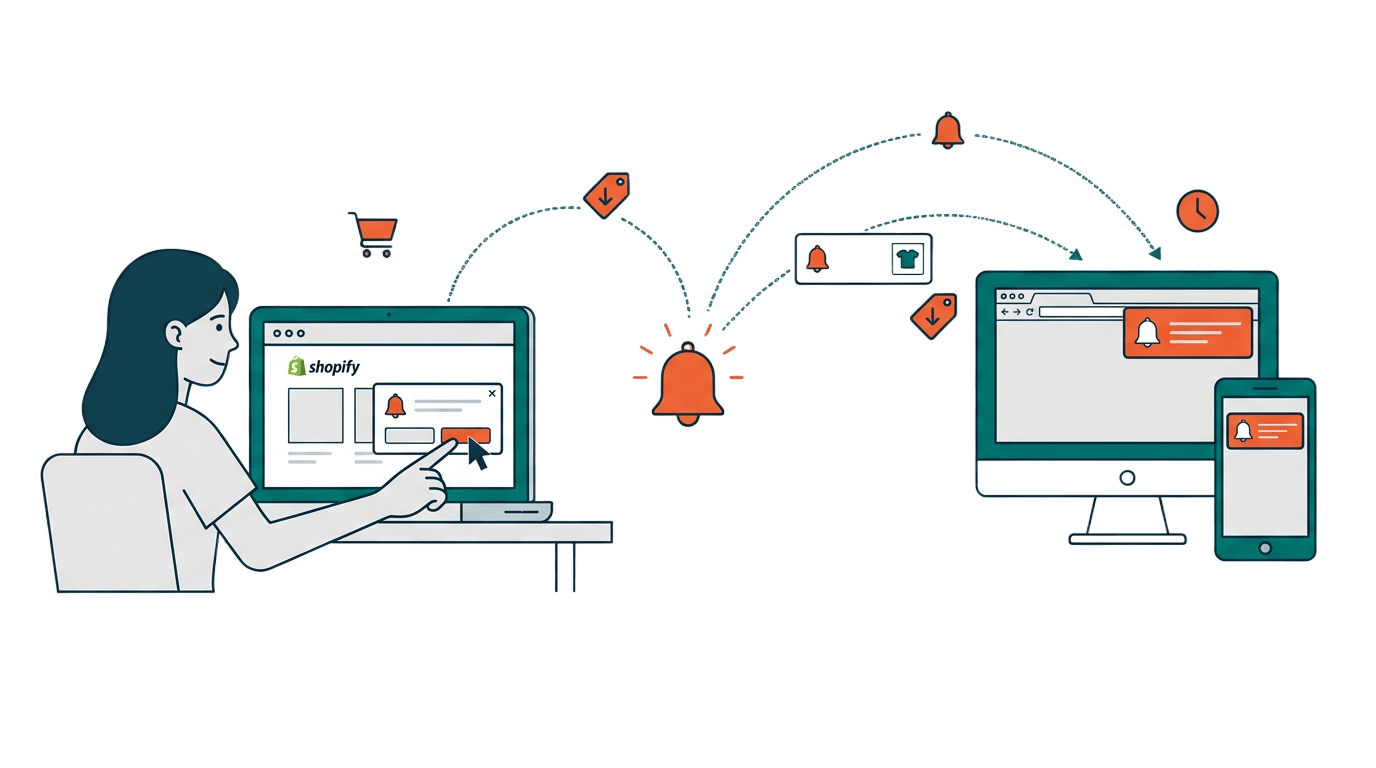
A shopper lands on your Shopify store, browses a few products, and leaves without buying anything. You have no idea who they were. No email, no phone number, nothing. But what if you could still reach them with a message the next day saying, “The sneakers you checked out are selling fast!”
That is exactly what browser push notifications let you do. And in this guide, we will break down everything you need to know about them.
So, What Exactly Is a Push Notification?
A push notification is a short, clickable message that appears directly on a visitor’s browser, on both desktop and mobile devices. It shows up even when your website is closed. Think of it like a gentle tap on the shoulder that says, “Hey, we have something for you.”
These messages are delivered through the browser (Chrome, Firefox, Edge, Safari) on desktops, laptops, and mobile devices. No app is needed. The visitor simply clicks “Allow” on a permission prompt, and they become a subscriber.
Here is the best part: push notifications let you reach visitors who never shared their email or phone number. These are the anonymous shoppers that most store owners lose forever. With push notifications, you finally have a way to bring them back.
How Do Push Notifications Actually Work?
The process is simpler than you might think. Here is how it works in three steps:
Step 1: The visitor gives permission. When someone visits your Shopify store, a permission prompt popup appears asking if they would like to receive notifications. With PingLane, you can customize this popup to match your store’s look and feel. If the visitor clicks “Allow,” they become a push subscriber instantly.
Step 2: You create and send a message. From your PingLane dashboard, you write a short message with a title, body text, and an optional image or link. You can send it right away or schedule it for later.
Step 3: The message appears on their browser. The notification pops up on the subscriber’s desktop or mobile browser screen, even if they have closed your store. They can click it to land right back on your site.
No app download required. No email inbox to compete with. No phone number needed.
Why Should Shopify Store Owners Care?
If you run a Shopify store, push notifications solve a very real problem: most of your visitors leave without buying and never come back.
Studies show that 97% of first-time visitors leave a website and never return. These are people who showed interest in your products but slipped away before you could connect with them. Push notifications give you a direct line back to those anonymous shoppers.
They are instant. Unlike emails that sit unread for hours, push notifications appear on screen within seconds. This makes them perfect for flash sales or limited time offers.
They get seen. The average email open rate hovers around 20%. Push notifications have visibility rates between 40% and 60% because they appear right on the browser screen.
They are easy to set up. You do not need a developer to get started. With PingLane, you can go from installation to your first notification in just a few minutes.
They work even when your store is closed. A subscriber does not need to have your store open to receive your message. The notification reaches their browser regardless.
What Kind of Messages Can You Send?
Push notifications are not just for promotions. With PingLane, Shopify merchants can send several types of automated and manual notifications:
Welcome notifications: The moment a store visitor subscribes to push notifications, PingLane automatically delivers a welcome notification. You can set up a series of follow-up messages with custom delays to introduce your brand and products.
Browse reminders: When a subscribed visitor views a product on your store and leaves without taking any action, PingLane sends a series of follow-up notifications to bring them back. For example: “Still thinking about those sneakers? They are going fast!”
Cart recovery: When a subscribed visitor adds a product to their cart and leaves without checking out, PingLane automatically sends reminders to bring them back. This is one of the most effective ways to recover lost sales.
Price drop alerts: When a subscriber opts in for price drop alerts on a product page and the price drops below what it was at the time of opt-in, PingLane sends them a notification right away.
Back in stock alerts: When a product goes out of stock and a subscriber opts in for alerts, PingLane notifies them the moment the product is available again.
Manual campaigns: Beyond automations, you can also create one-time push campaigns for new product launches, seasonal sales, or any announcement you want to share with your subscribers.
Who Can Receive These Notifications?
Browser push notifications work on desktop and mobile devices through supported browsers like Chrome, Firefox, Edge, and Safari. When a visitor opens your Shopify store on any of these browsers and clicks “Allow” on your permission prompt, they become a subscriber.
This is important to understand: push notifications are browser-based, not app-based. Your store visitors do not need to download any app. They just need a supported browser on their desktop or mobile device.
Getting Started with PingLane
Setting up push notifications for your Shopify store takes just a few minutes. Here is what the process looks like:
- Sign up for PingLane and install the PingLane Shopify app from the Shopify App Store
- Customize your permission prompt popup to match your store’s design and target it by page, location, or device
- Customize your automations like welcome notifications, cart recovery, and browse reminders to match your store
- Create your first manual push campaign from the PingLane dashboard
- Watch your subscriber count grow and track clicks and revenue from your reports
That is really all there is to it. You do not need to be a developer or a marketing expert. If you can write a text message, you can send a push notification.
Wrapping Up
Push notifications are one of the most underused marketing channels for Shopify stores. They let you reach the anonymous visitors that every store loses every single day. They are fast, direct, and get your message seen without fighting for space in a crowded email inbox.
If you have been looking for a simple way to bring back lost shoppers and grow your sales, push notifications are worth trying. Get started with PingLane in just a few minutes.